Why Google Search Scraper Ensures Accurate Leads
Discover how LeadStal’s Google Search Scraper ensures 99% accurate leads with advanced features, real-time data, and email verification.

Accurate leads are the foundation of successful outreach campaigns. Businesses rely on precise data to connect with potential clients, build relationships, and close deals. However, the challenge lies in ensuring the reliability and validity of the collected information. LeadStal’s Google Search Scraper stands out as a powerful tool designed to deliver 99% accurate leads consistently. Here’s how LeadStal achieves this and why it’s a game-changer for businesses of all sizes.

The Importance of Accurate Leads
Accurate leads save businesses time, resources, and effort. Invalid or outdated contact information can result in wasted outreach, missed opportunities, and decreased ROI. Accurate data ensures that:
- Messages reach the intended audience.
- Engagement rates improve.
- Conversion rates increase.
LeadStal’s focus on accuracy addresses these concerns, providing businesses with high-quality leads that drive real results.
Features That Guarantee 99% Accuracy
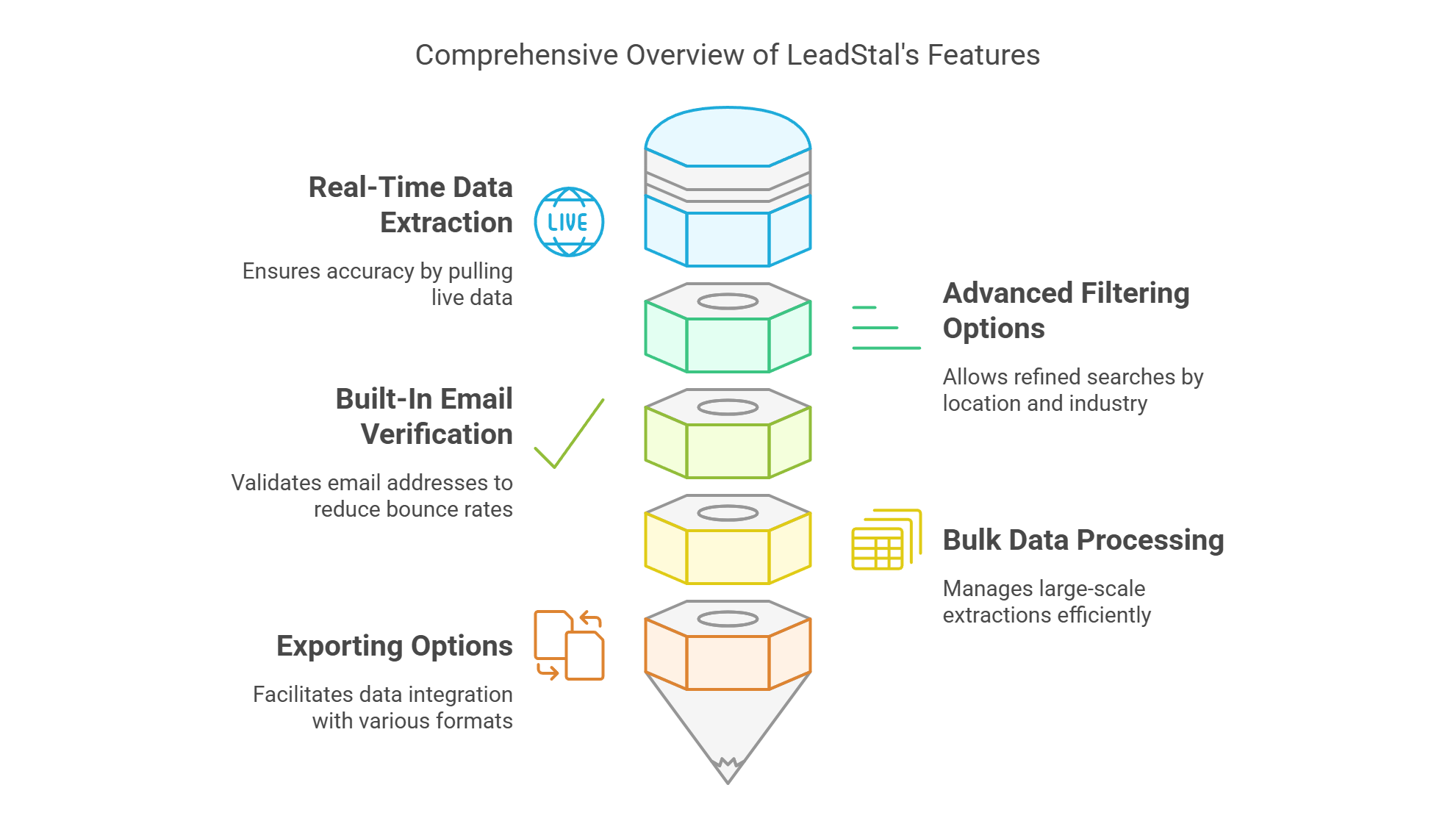
Real-Time Data Collection
LeadStal’s Google Search Scraper pulls data directly from live search results. This ensures that the collected information is current and relevant. Unlike static databases that may contain outdated information, LeadStal continuously updates its data, giving users a competitive edge.
Built-In Email Verification
One of the standout features of LeadStal is its integrated email verification system. This system checks every extracted email address for validity and functionality, significantly reducing bounce rates and ensuring successful outreach.
Advanced Filtering Options
The tool’s advanced filters allow users to refine searches based on specific criteria such as location, industry, or business size. This precision ensures that only the most relevant leads are collected, aligning with the user’s marketing goals.
Comprehensive Data Points
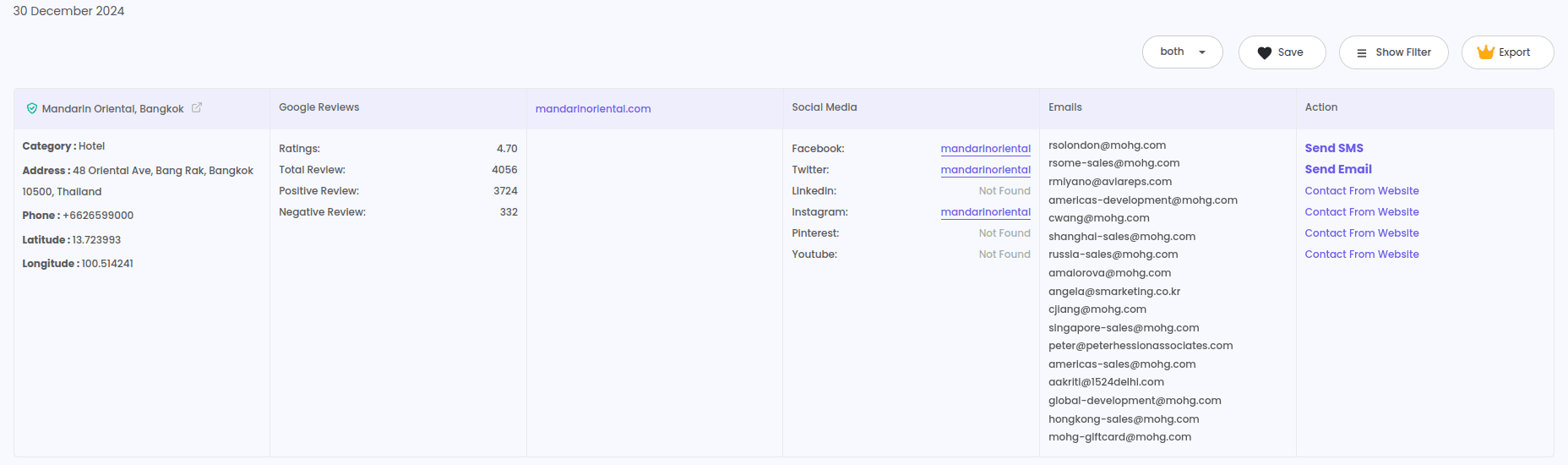
LeadStal doesn’t just stop at email addresses. The tool extracts additional data such as phone numbers, website URLs, and social media profiles, providing multiple avenues for connecting with leads. This comprehensive approach enhances the accuracy and usability of the collected data.
Export Capabilities
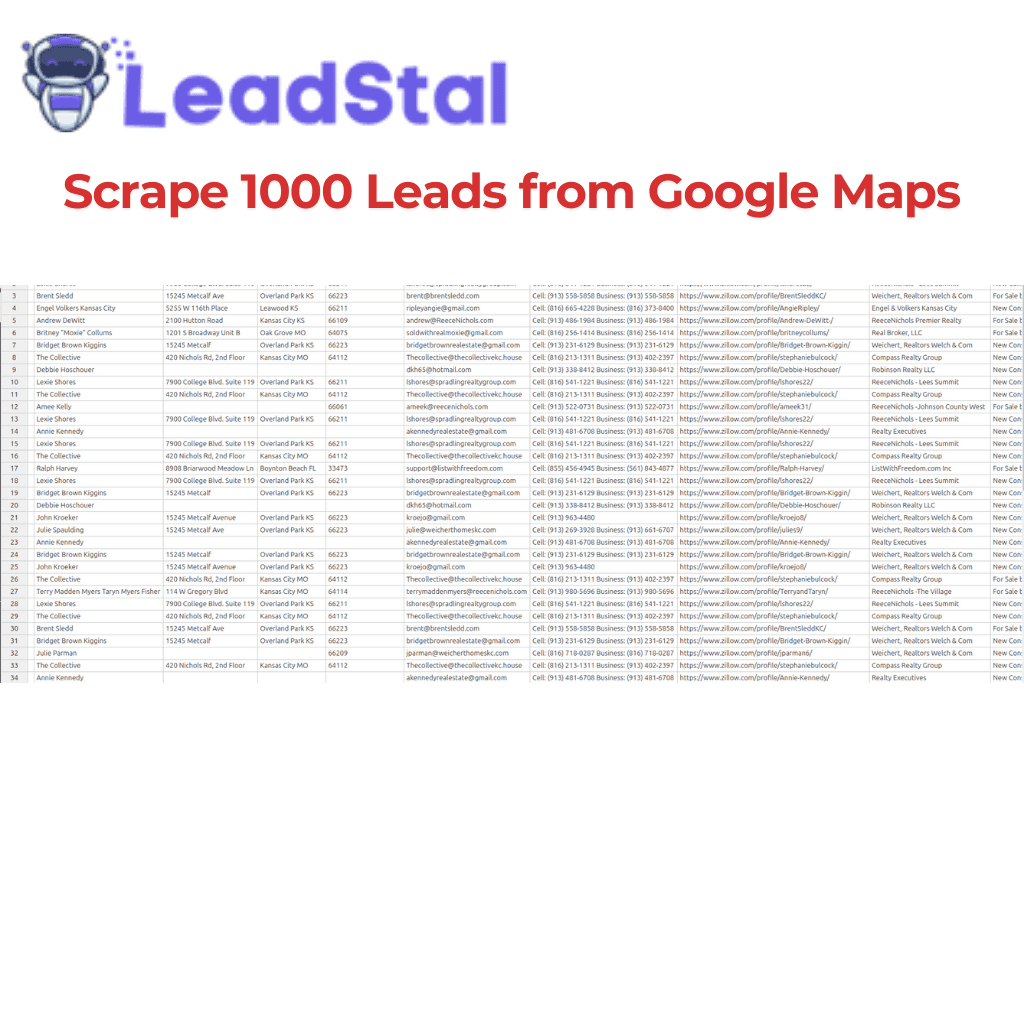
After collecting and verifying data, LeadStal allows users to export it in CSV or Excel formats. This ensures that the information integrates seamlessly with CRM systems, email marketing tools, and other platforms, maintaining its integrity during the transfer.
How LeadStal’s Technology Ensures Accuracy
Smart Algorithms
The algorithms that run LeadStal are made to find and extract only public and confirmed contact information. These algorithms focus on reputable sources and cross-check data to make sure it is correct, which lowers the chance of mistakes.
Continuous Updates
Because the framework of the tool is designed to adapt to changes in Google's search algorithms, it will always work and give you the most up-to-date results. This ability to change helps keep the level of accuracy high.
Validation Processes
LeadStal's validation method has several steps, such as checking the format, email, and data to make sure they are correct. These steps make sure that all the information meets certain standards of quality before it is shown to the person.

How to Use LeadStal’s Google Search Scraper
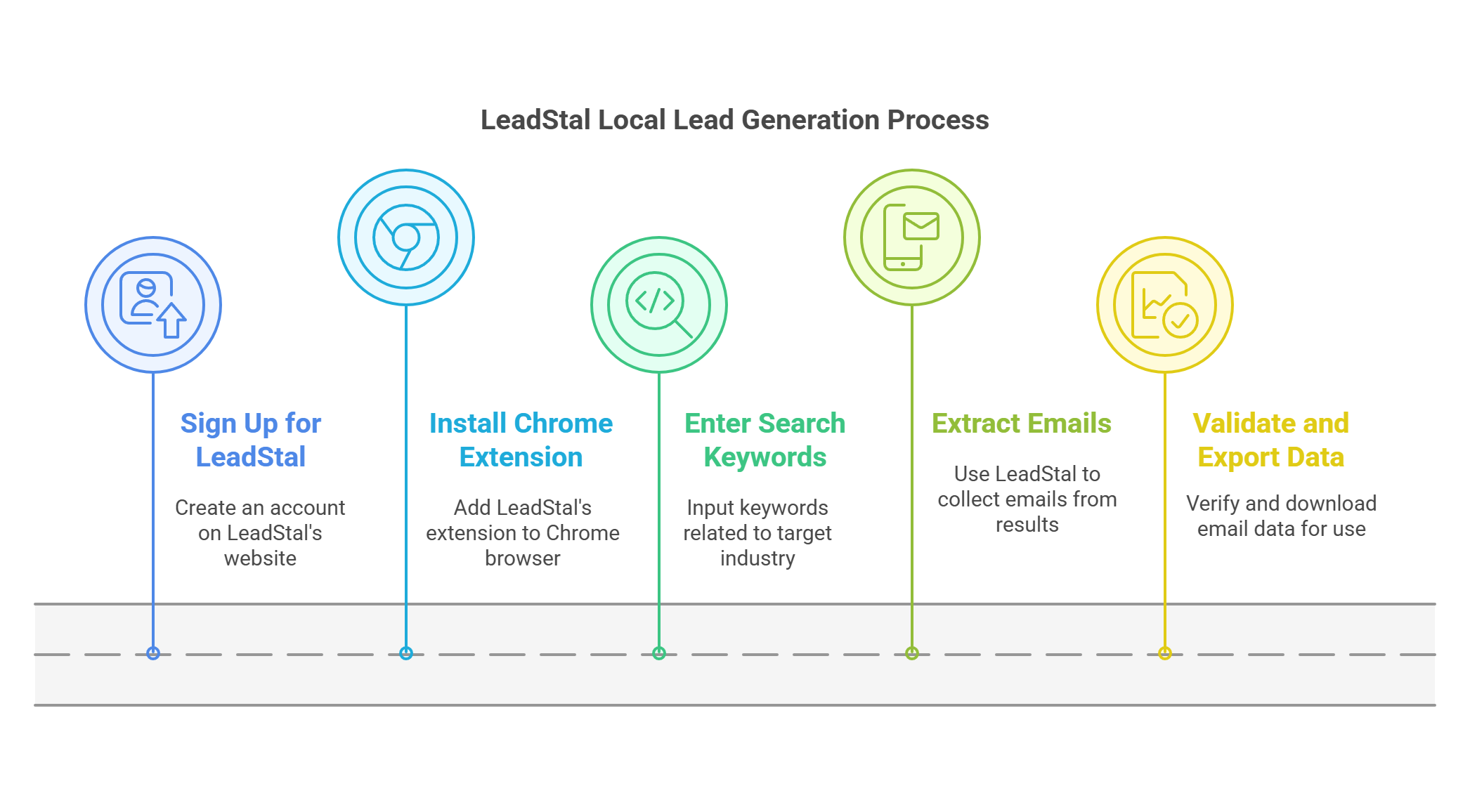
Step 1: Install the Tool
Download and install the LeadStal Chrome extension from the Chrome Web Store. The installation is quick and straightforward.
Step 2: Set Up Your Account
Log in to your LeadStal account or create a new one.
Step 3: Input Keywords
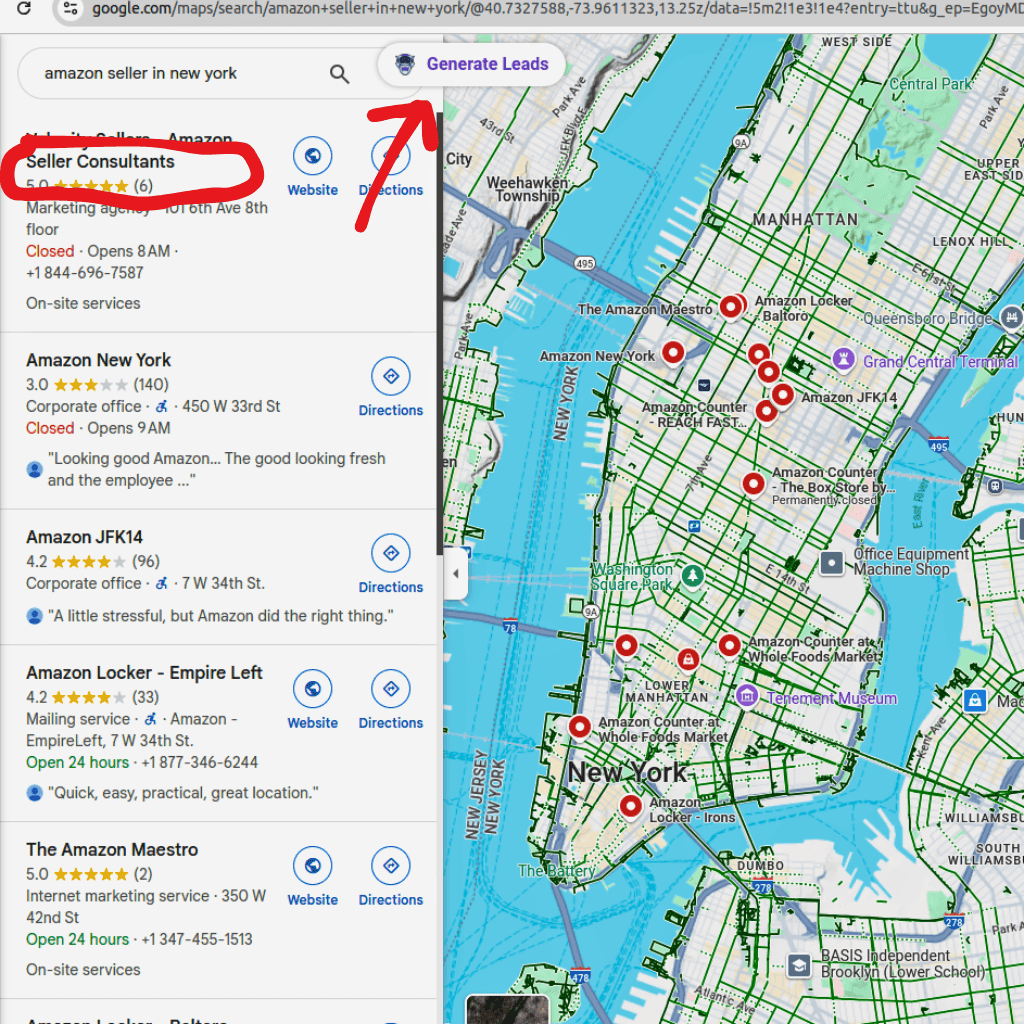
Define your target audience by entering specific keywords into Google Search. For example, use phrases like “B2B marketing agencies in California” or “top software companies in New York.”
Step 4: Generate Leads
Activate the tool by clicking the “Generate Leads” button. LeadStal will extract relevant data from the search results, including verified email addresses and other contact information.
Step 5: Export and Organize
Review the collected data and export it in CSV or Excel format. Organize your leads based on categories such as industry, location, or potential value for easier management.
Best Practices for Using LeadStal
- Use Specific Keywords: Make your searches more focused on certain niches, businesses, or places.
- Use Filters: Use advanced filters to narrow down your results and find more relevant leads.
- Monitor Campaign Results: Keep an eye on how your outreach efforts are doing to see how useful the leads you're receiving are.
- Regularly Update Data: To keep your information accurate over time, revalidate it every so often.
Benefit from LeadStal’s Google Search Scraper
LeadStal’s Google Search Scraper is versatile and caters to various industries, including:
- Real Estate: Collect leads for property agents, brokers, and buyers.
- Healthcare: Find contact details for clinics, hospitals, and healthcare professionals.
- Education: Extract email addresses for schools, universities, and training centers.
- Marketing: Build a database of potential clients for targeted campaigns.
- E-commerce: Connect with suppliers, distributors, and online retailers.

Frequently Asked Questions (FAQ)
Frequently asked questions
How does LeadStal achieve 99% accuracy?
LeadStal’s advanced algorithms, real-time data extraction, and email verification processes ensure a 99% accuracy rate.
Can I customize my search results?
Yes, LeadStal’s advanced filtering options allow you to customize searches based on criteria like location, industry, and keywords.
Is the tool easy to use?
Absolutely. LeadStal’s intuitive interface is designed for users of all skill levels, making it simple to extract accurate leads.
How can I export the data?
Collected data can be exported in CSV or Excel formats, ensuring seamless integration with other tools.
Does LeadStal comply with data privacy regulations?
Yes, LeadStal adheres to GDPR and other privacy standards, ensuring ethical and secure data collection.
Final Thoughts
LeadStal’s Google Search Scraper is a reliable solution for businesses seeking accurate and verified leads. Its advanced features, user-friendly design, and commitment to data quality make it an essential tool for improving outreach campaigns and achieving better ROI. If accuracy matters to your business, LeadStal delivers leads you can trust every time.
Put this into action, for free
Find verified leads from Google Maps, Instagram and 30+ sources with LeadStal's free tools.
Start finding leads freeComments (3)
 Priya Nair· 2 days ago
This is exactly what I needed, pulled 300 leads in my niche the same afternoon. The export to CSV worked flawlessly.