How to Extract Usernames from Hashtag Posts on Instagram?
Learn how to extract usernames from Instagram hashtag posts using an IG Hashtag Scraper. Find leads, connect with influencers, and boost engagement.
Instagram hashtags help categorize content and increase visibility. For businesses, influencers, and marketers, hashtags can be a goldmine for finding potential leads, engaging with the right audience, and discovering niche communities. But manually collecting usernames from hashtag posts is slow and inefficient.

Using an Instagram hashtag scraper, you can extract usernames from hashtag posts in minutes. This guide will walk you through why extracting usernames is useful, the best tools for the job, and how to do it efficiently.
Why Extract Usernames from Hashtag Posts?
Collecting usernames from Instagram hashtag posts helps in multiple ways:
✔ Find potential customers – Identify users interested in a specific niche or product.
✔ Engage with the right audience – Connect with users who actively post under relevant hashtags.
✔ Competitor analysis – See who interacts with competitors' hashtag campaigns.
✔ Influencer research – Discover content creators using specific hashtags.
✔ Marketing outreach – Build a list of Instagram users to contact for promotions.
Best Tools to Extract Usernames from Hashtag Posts
Manually collecting usernames from hashtag posts is time-consuming. Here are the best Instagram hashtag scrapers to speed up the process:

How to Extract Usernames from Hashtag Posts on Instagram
Follow these steps to efficiently collect usernames using an Instagram hashtag scraper:
Step 1: Install the IG Hashtag Scraper
- Download a tool like LeadStal IG Hashtag Scraper
- If using a Chrome extension, enable Developer Mode in Chrome and load the extension.
Step 2: Open Instagram and Search for Hashtags
- Use the search bar to find hashtags related to your niche.
- Click on a hashtag to view all recent and popular posts.
Step 3: Extract Usernames from Hashtag Posts
- Open the Instagram hashtag scraper tool.
- Select the Extract Usernames option.
- The scraper will collect usernames from posts under that hashtag.
Step 4: Export and Organize the Data
- Once the extraction is complete, click View Result.
- Download the data in CSV or Excel format.
- Organize usernames based on engagement, followers, or location.
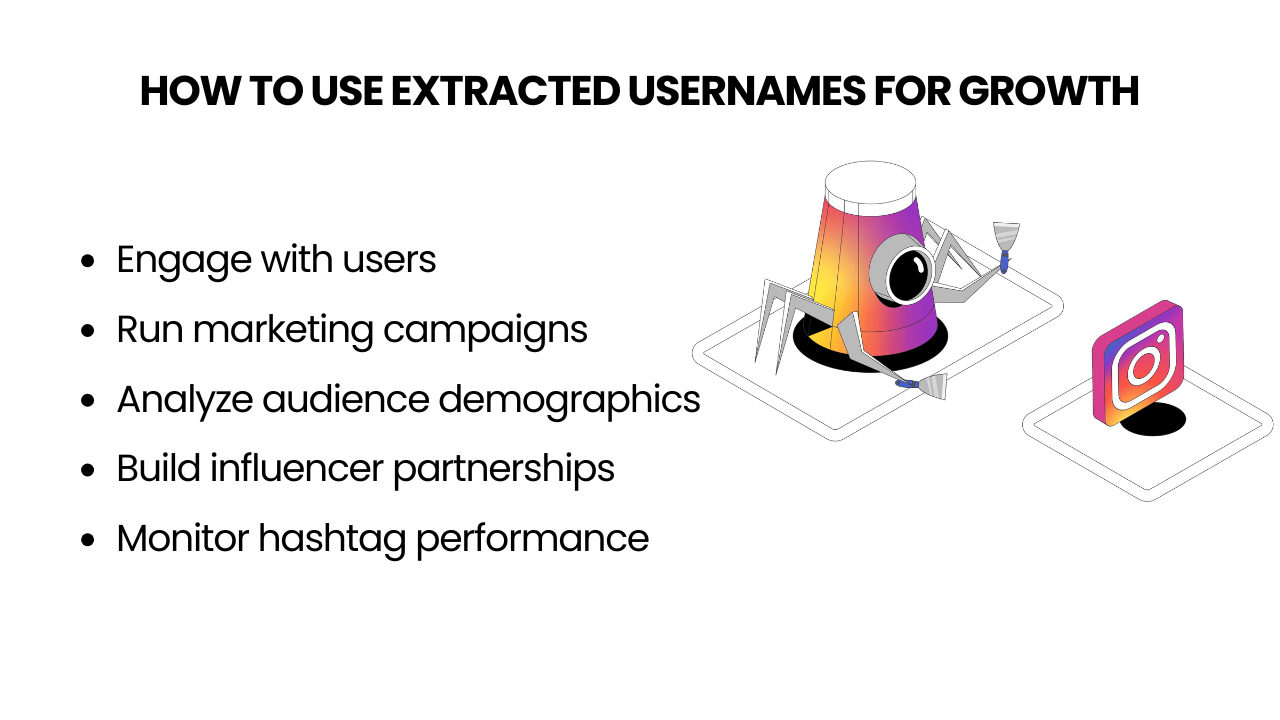
How to Use Extracted Usernames for Growth
✔ Engage with users – Like, comment, or follow users to build connections.
✔ Run marketing campaigns – Send promotional messages to potential customers.
✔ Analyze audience demographics – Understand user behavior and refine targeting.
✔ Build influencer partnerships – Find content creators interested in your niche.
✔ Monitor hashtag performance – Track which hashtags bring the most engagement.
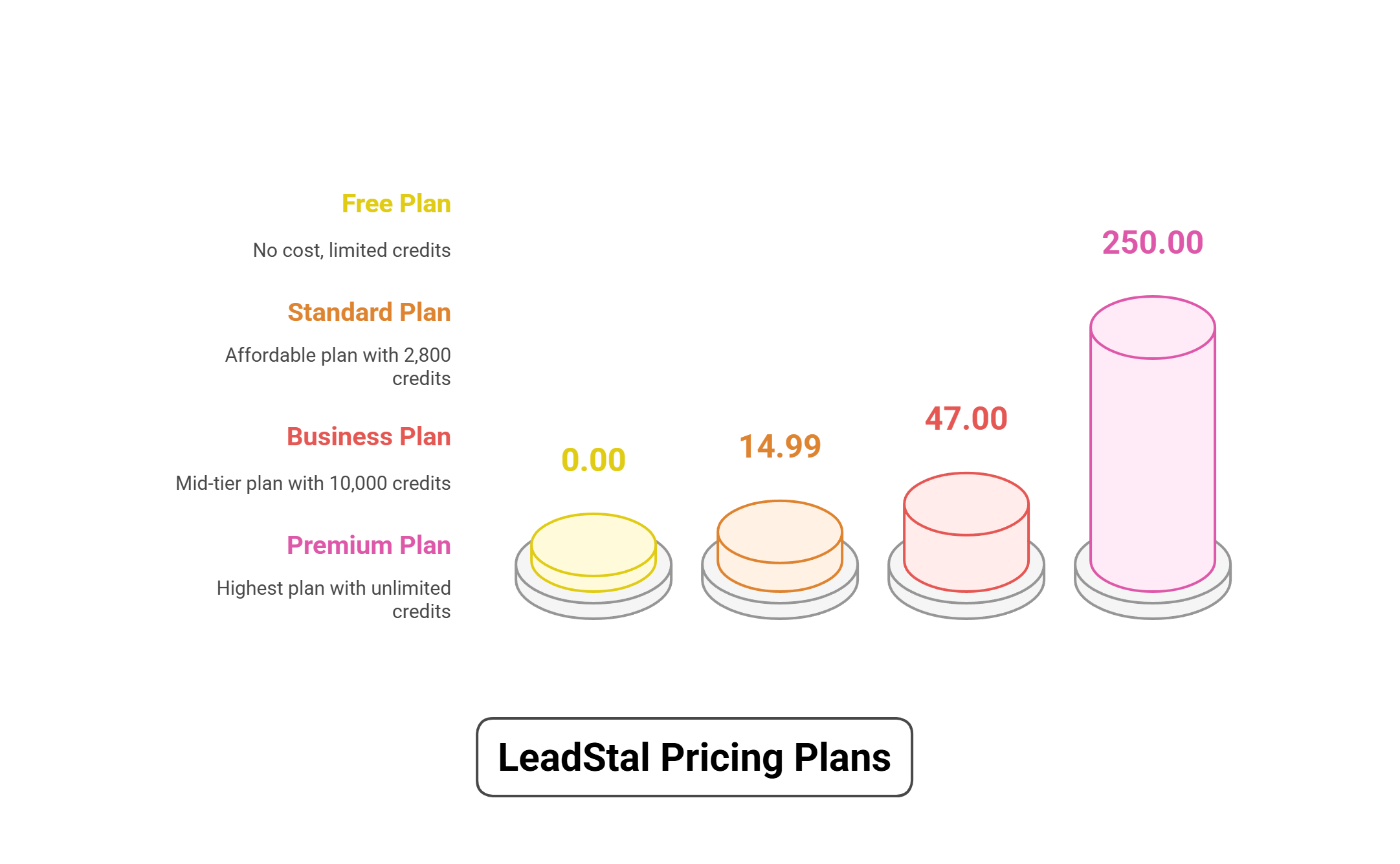
Pricing Plans for LeadStal’s IG Hashtag Scraper
Each 1 Credit = 1 Valid Data Extracted, and LeadStal does not charge for invalid data.
Common Mistakes to Avoid When Scraping Usernames
❌ Extracting too many usernames at once – This can trigger Instagram's security measures.
❌ Not filtering data – Remove inactive or irrelevant users to get better engagement.
❌ Skipping engagement – Simply collecting usernames without interacting won’t help growth.
❌ Not complying with Instagram guidelines – Always scrape responsibly and avoid spamming.
FAQs
Frequently asked questions
1. Is it legal to scrape business leads from Instagram hashtags?
Yes, as long as the data is publicly available and privacy laws are followed.
2. Can Instagram ban my account for using a scraper?
If overused, Instagram may restrict your account temporarily. Use anti-detection features.
3. What is the best IG Hashtags Scraper for business leads?
LeadStal’s IG Hashtags Scraper is highly efficient and beginner-friendly.
4. Can I extract phone numbers along with emails?
Yes, many scrapers collect phone numbers, emails, and other profile details.
5. How can I ensure the leads are valid?
Use verification tools like NeverBounce or Truecaller to validate emails and phone numbers.
6. How often should I scrape business leads?
Weekly or bi-weekly scraping helps maintain an updated list.
7. Can I automate outreach after scraping leads?
Yes, tools like Mailchimp and Twilio can automate email and SMS campaigns.
8. What types of hashtags work best for business lead scraping?
Use niche-specific hashtags such as #B2BMarketing, #EcommerceGrowth, or #SmallBusinessTips.
9. How do I avoid spam filters when contacting leads?
Personalize messages, avoid mass spamming, and use professional sender domains.
10. What file formats are supported for lead data export?
Most scrapers allow exports in CSV or Excel formats.
Final Thought
Extracting usernames from Instagram hashtag posts can be a game-changer for businesses and marketers looking to grow their audience. With the right tools, you can build a list of potential customers, analyze engagement trends, and create more targeted marketing campaigns. Choosing an Instagram hashtag scraper that fits your needs ensures that you get accurate data quickly and efficiently.
Put this into action, for free
Find verified leads from Google Maps, Instagram and 30+ sources with LeadStal's free tools.
Start finding leads freeComments (3)
 Priya Nair· 2 days ago
This is exactly what I needed, pulled 300 leads in my niche the same afternoon. The export to CSV worked flawlessly.